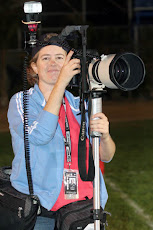
The most important shot from a championship game is the jube or celebration. All the emotion and excitement of winning captured in one image. Be ready towards the end of the game, don't be caught flat footed because you weren't paying attention. Anticipate, get in position and keep your eye in the viewfinder, shoot through the celebration, chimp later. Also don't be the one who runs out and ruins the shot for everyone else, we hate that guy. :) For night games and indoor stuff, don't be lazy, throw a flash on there and get some quality images, put some light on those faces. Flash is also key for the group shot with trophy, even during the day, a little fill flash will really make the image pop and get rid of all that raccoon eye and cap shadows.
Wednesday, May 28, 2008
Championship Jube....
The most important shot from a championship game is the jube or celebration. All the emotion and excitement of winning captured in one image. Be ready towards the end of the game, don't be caught flat footed because you weren't paying attention. Anticipate, get in position and keep your eye in the viewfinder, shoot through the celebration, chimp later. Also don't be the one who runs out and ruins the shot for everyone else, we hate that guy. :) For night games and indoor stuff, don't be lazy, throw a flash on there and get some quality images, put some light on those faces. Flash is also key for the group shot with trophy, even during the day, a little fill flash will really make the image pop and get rid of all that raccoon eye and cap shadows.
Wednesday, May 21, 2008
Always something interesting....

Heston Quan is always thinking outside the box, I know when I open one of his galleries he'll have some really cool shot in there, but I was really blown away by his recent Track and Field gallery.
Nice stuff Heston!
Here's the link to Heston's Gallery:
CIF- SS Championships (Boys Long Jump)
Photo by Heston Quan
Tuesday, May 13, 2008
Back Button Focus
If you're still using the shutter button to focus, then you're probably missing shots. Try using the back button, it takes a bit to get used to using your thumb to focus but once you get the hang of it you'll never go back. By seperating the focus from the shutter you can track moving subjects better, your shutter will release quicker and you can pre-focus and meter without moving focus. Here's an article about it from Canon: http://www.usa.canon.com/dlc/controller?act=GetArticleAct&articleID=2286
But it works for you Nikon shooters too. :)
Friday, April 25, 2008
Blown Highlights
Since we've all moved outdoors I've been noticing a problem with blown highlights. White uniforms in bright sun can pose a problem, especially if you're shooting in aperature priority mode and using +ev comp to compensate for the shadows. A very useful exposure tool is the blinking highlights feature. Always have this feature enabled in your lcd. That way if huge chunks of your image are blinking, you'll know that you need to adjust your exposure. When you blow the highlights, or overexpose, there is no information recorded in that area of the image, so trying to fix it in photoshop is not an option. I found a few interesting sites that talk about blinking highlights and metering:
http://www.ximinasphotography.com/lessons/lesson04/lighting_4.html
http://www.naturescapes.net/092004/gd0904.htm
http://www.ximinasphotography.com/lessons/lesson04/lighting_4.html
http://www.naturescapes.net/092004/gd0904.htm
Wednesday, April 23, 2008
From the Internet
There is so much information out there about digital photography, numerous websites and blogs that talk about photography and post processing. One of my favorites is SportsShooter.com, a search on their message board will answer just about any question you have about cameras, techniques, photoshop, etc. Another great resource is The Strobist, if you want to learn to use lights, just read David Hobby's blog. For photoshop there's http://www.photoshopuser.com/ also known as NAPP, National Association of Photoshop Professionals, you have to be a member to access the whole site, I am and have been for several years, but there's also info non-members can access, like PhotoshopTV. Of course there's Fred Miranda's site, http://www.fredmiranda.com and Rob Galbraith's site, http://www.robgalbraith.com, both are good resources for gear reviews.
Another great resource on the internet is being able to see other photographers work, looking at good photography can help you make better photos. See what the pro's are shooting, different angles, etc. Your photos shouldn't be the only sports photography you know, find a couple of photographers you admire and look at their work regularly. Getty images is a good resource, SI's website is another and Photoshelter has a plethora of great photographs to browse through. Most major newspapers have an online site that contains galleries from their photographers, a lot of those photographers are now writing blogs too.
If you know of a good photo website or blog, send me a link.
Another great resource on the internet is being able to see other photographers work, looking at good photography can help you make better photos. See what the pro's are shooting, different angles, etc. Your photos shouldn't be the only sports photography you know, find a couple of photographers you admire and look at their work regularly. Getty images is a good resource, SI's website is another and Photoshelter has a plethora of great photographs to browse through. Most major newspapers have an online site that contains galleries from their photographers, a lot of those photographers are now writing blogs too.
If you know of a good photo website or blog, send me a link.
Thursday, April 10, 2008
Tilted Horizons
Okay folks, I have been seeing way too many skewed, slanted and tilted images. The excuse I commonly hear when I point these out to photographers is "the monopod did it". Okay that happens, here is one way to fix that, keep your tripod collar loose and that way you can keep your camera level when you have to slant the monopod to catch the action. If you still have problems taking a level photo, fix it in photoshop! You can tilt your crop to fix the slant. Keep the tilted images in the wedding galleries and senior portraits please!
Tuesday, April 8, 2008
AdobeRGB vs sRGB
As you all know, or should know, one of the digital image requirements for a gallery on MaxPreps is that all images must be in the sRGB color space. There's a very good reason for this, two actually, the first is that sRGB looks best on the web. AdobeRGB looks washed out and flat when viewed on the internet, colors look wrong.
The second reason is that all online printers (we use EZprints) use the sRGB profile for their printers, so if you want your images to print well then they must be in sRGB. I shoot all my MP stuff with my camera set in the sRGB colorspace, it's just easier than converting later. If I'm shooting commercial stuff or something that will go to graphics then I'll shoot in RAW and convert to whatever color profile the client wishes. But for images that will only go to web and online printing, why bother with RAW? sRGB works just fine and no client that has licensed my photos from MaxPreps has ever asked for anything else. Back in the days of film, sRGB would have been called slide film. :)
Take a look at these articles for a better understanding of the two color profiles:
http://www.kenrockwell.com/tech/adobe-rgb.htm
http://www.cambridgeincolour.com/tutorials/sRGB-AdobeRGB1998.htm
http://www.nulab.com.au/newsletter/november2004/sRGBViaAdobe02.htm
http://www.shootsmarter.com/index.php?option=com_content&task=view&id=151&acat=16
The second reason is that all online printers (we use EZprints) use the sRGB profile for their printers, so if you want your images to print well then they must be in sRGB. I shoot all my MP stuff with my camera set in the sRGB colorspace, it's just easier than converting later. If I'm shooting commercial stuff or something that will go to graphics then I'll shoot in RAW and convert to whatever color profile the client wishes. But for images that will only go to web and online printing, why bother with RAW? sRGB works just fine and no client that has licensed my photos from MaxPreps has ever asked for anything else. Back in the days of film, sRGB would have been called slide film. :)
Take a look at these articles for a better understanding of the two color profiles:
http://www.kenrockwell.com/tech/adobe-rgb.htm
http://www.cambridgeincolour.com/tutorials/sRGB-AdobeRGB1998.htm
http://www.nulab.com.au/newsletter/november2004/sRGBViaAdobe02.htm
http://www.shootsmarter.com/index.php?option=com_content&task=view&id=151&acat=16
Subscribe to:
Posts (Atom)